

Track4Facts PRO

Drag. Track.
Video.

Measure times. Compare drives. Create videos.

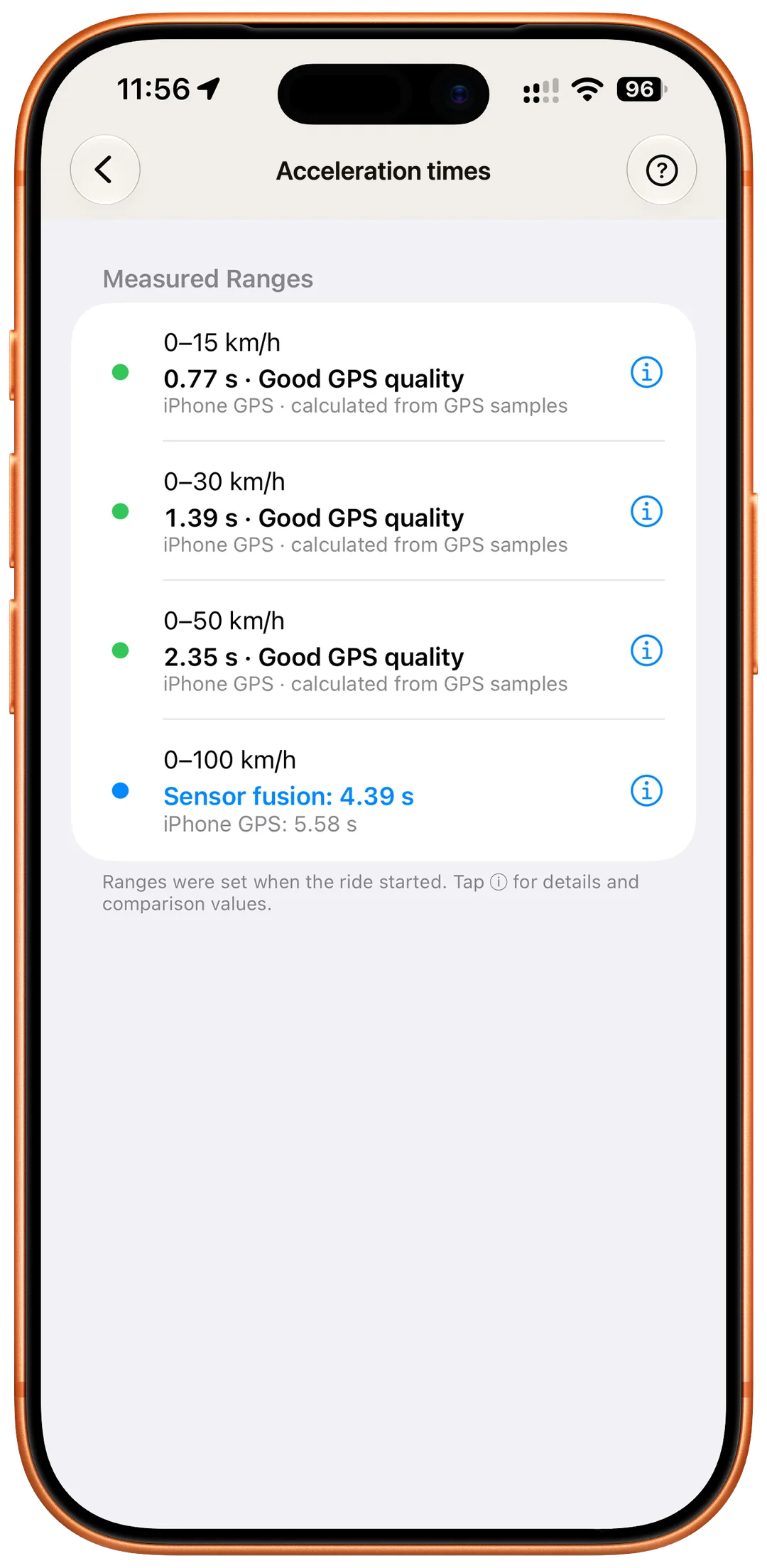
0–60 mph or 0–100 km/h. Free for good.No account. No subscription.

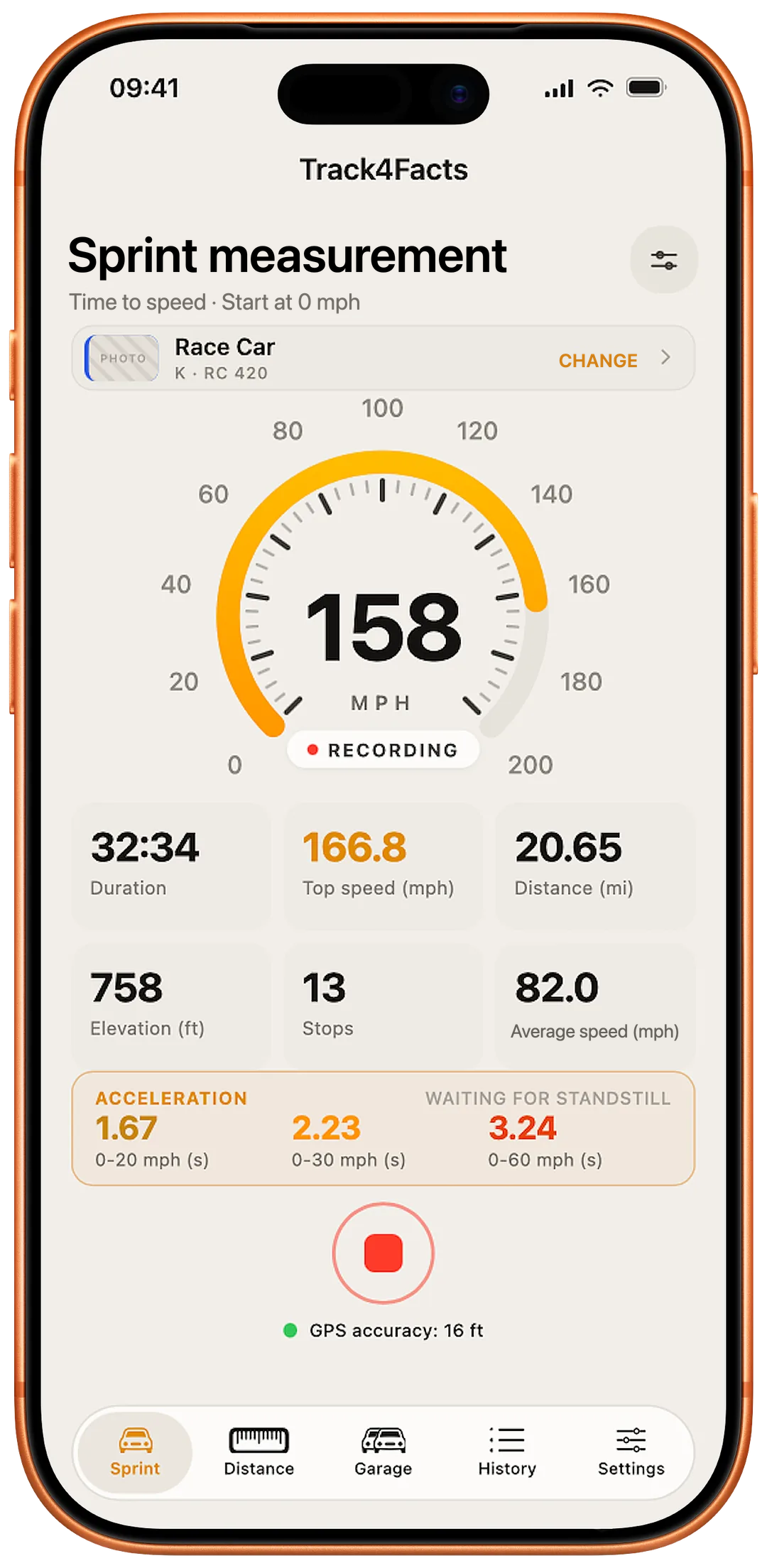
Sprint timing on iPhone
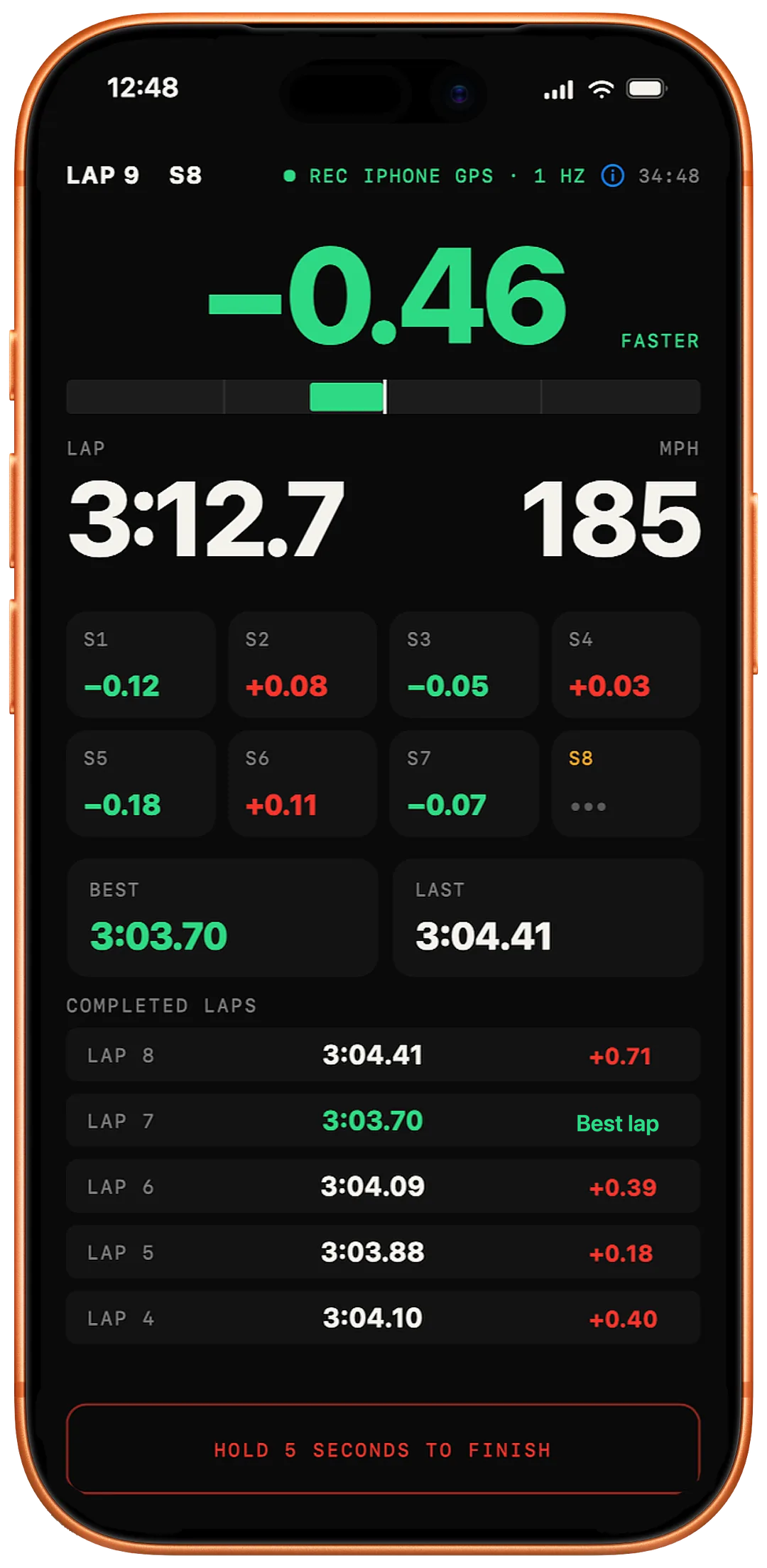
Lap timing with live delta
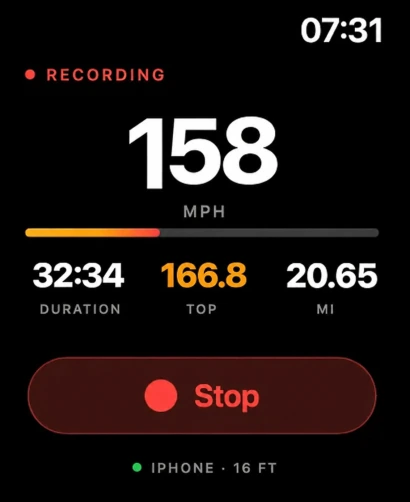
Active Track4Facts recording on Apple Watch

01 / Drag · Acceleration timing

Your launch.
More than a time.

Measure your launch, see how speed builds and compare two saved sprints. Understand how your acceleration changes from one run to the next.

Compare recorded sprints
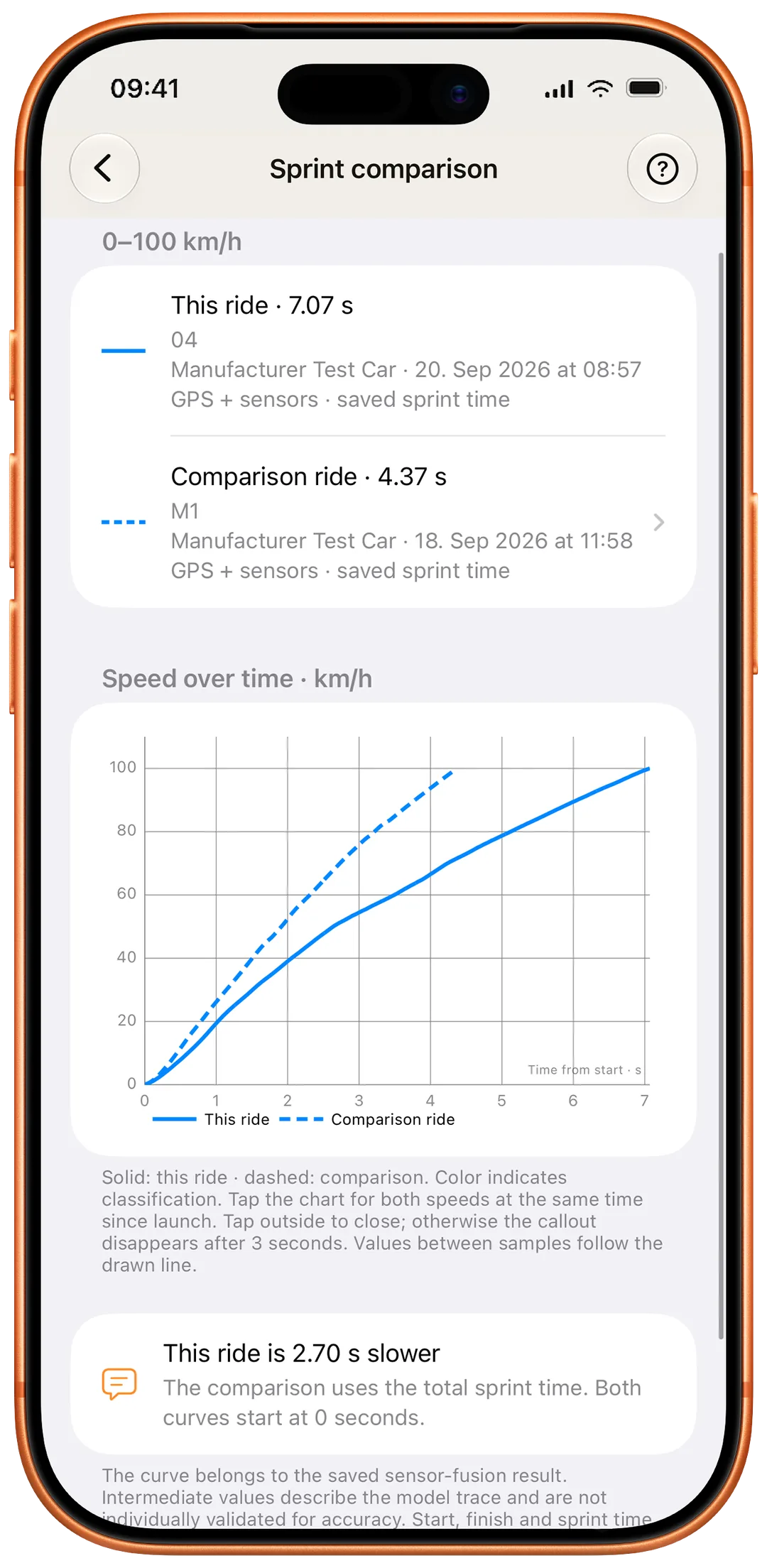
Sprint comparison
Example view from the app.

How do your sprints differ?

Both drives start at zero in the comparison. See the total times and how speed develops towards the same target.

Compare total times
The saved results show the difference between the two sprints.
Read the curves
The curves show speed at the same time since the start.
Explanation & details
More app views
Understand sensor fusion

Sensor fusion combines iPhone GPS with motion sensors to reconstruct the sprint timing between individual GPS samples.

Developed with AI assistance.

The custom algorithm reconstructs launch onset and sprint progression from GPS and motion data. Its calculations and limitations are documented.

For eligible 0–100 km/h and 0–60 mph sprints using internal iPhone GPS. The GPS time stays visible for comparison.

Understand sensor fusion
02 / TrackExplore lap timing

02 / Track · Lap timing

Your lap.
Understand the difference.

A lap time tells you how fast you were. Sectors and a comparison with a reference lap show where the difference comes from, during the session and afterwards.

Explore lap timing
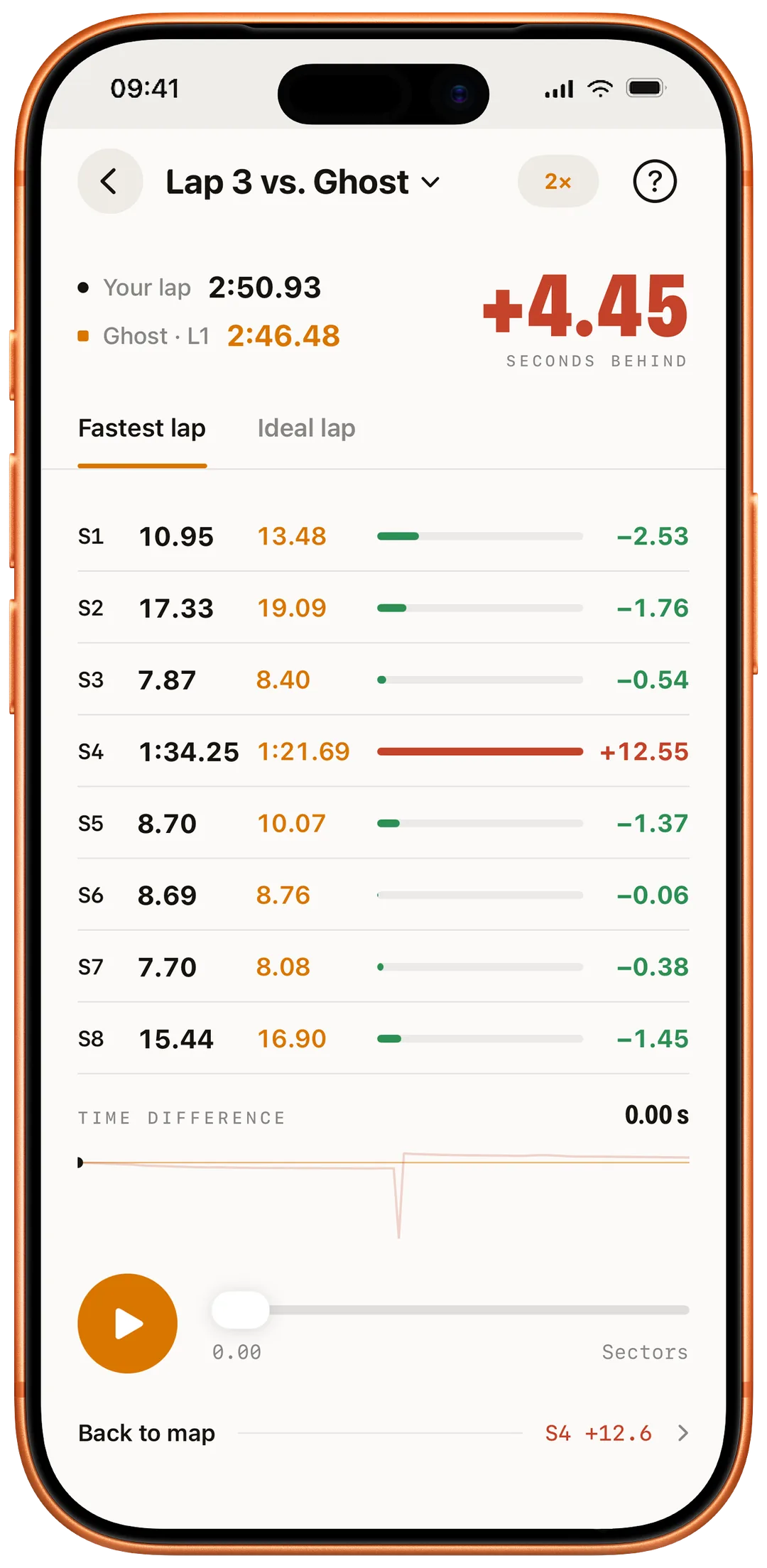
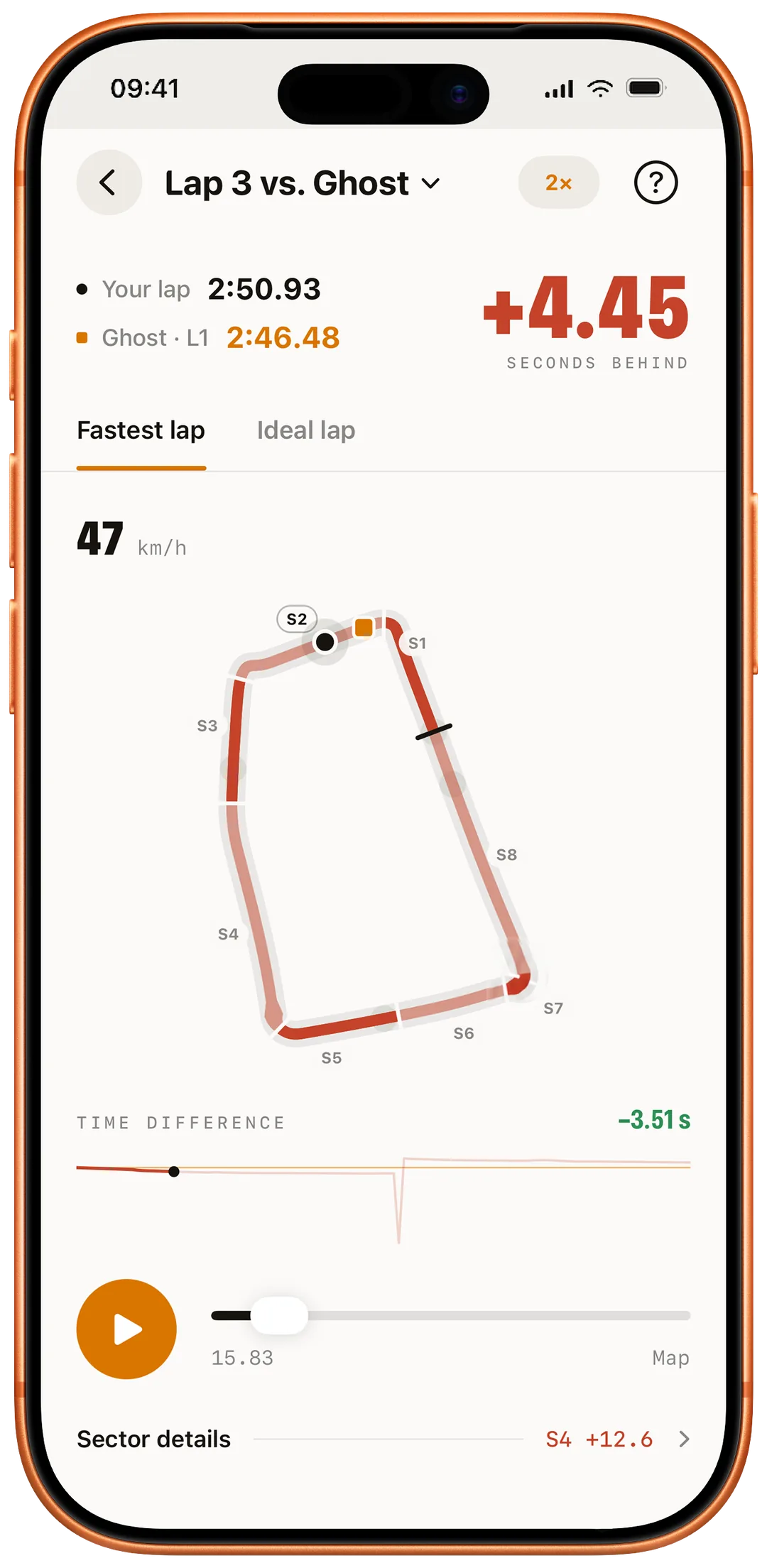
Ghost sectors
Example view from the app.

How do your laps differ?

The total time is just the beginning. Sector comparisons show where along the circuit you gain or lose time.

Compare sectors
See which sectors create gains and losses.
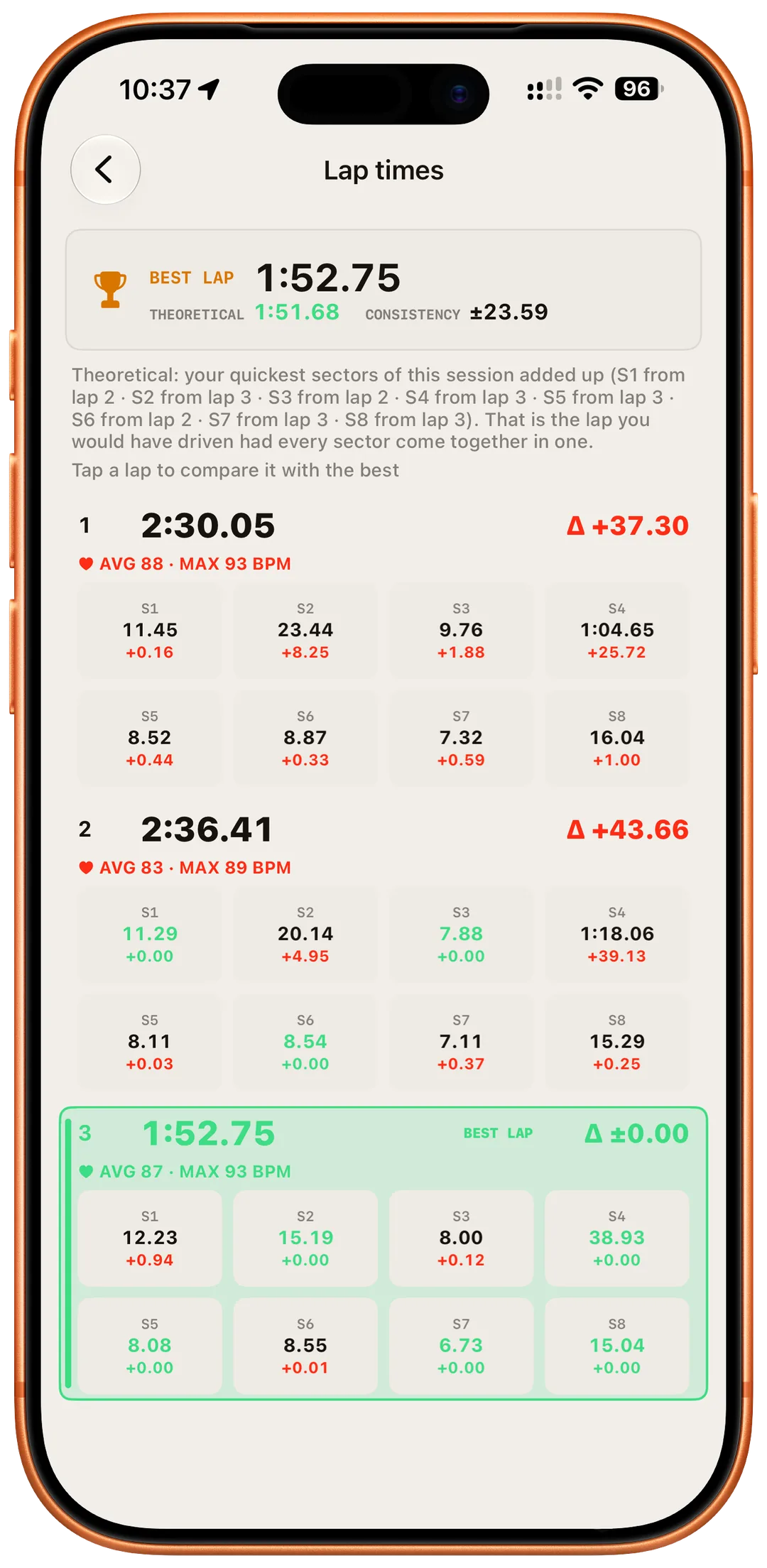
Understand the ideal lap
The best sectors combine into a theoretical ideal lap. It is not a lap that was actually driven.
Explanation & details
More app views
Ghost Lap in detail

Set your start and finish, time laps automatically and compare sectors. During the session, a live delta shows the gap to your best lap.

The analysis starts after the lap.

Ghost Lap replays your lap against your best or an ideal lap made from your fastest sectors. The map and time delta show where the difference happens.

Explore lap timing
03 / Video StudioDiscover Video Studio

03 / Video Studio New

Your drive.
With data in the picture.

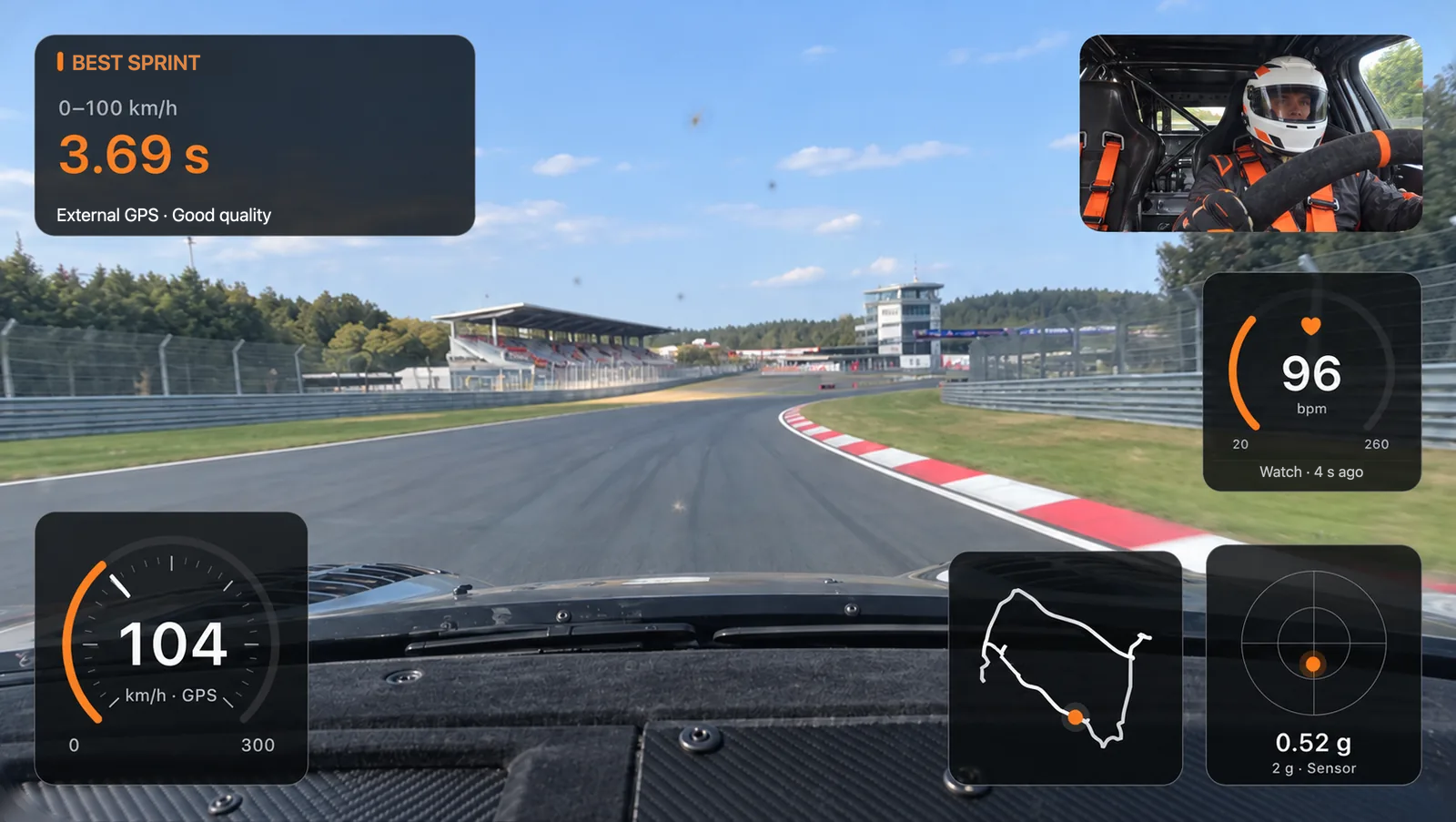
The video captures the moment. Your driving data tells the rest. Bring them together in Video Studio, with the displays that matter to you.

Discover Video Studio
  1. Record

    Record driving video and data together.

  2. Create

    Choose the moment and design your overlays.

  3. Export

    Save or share as MP4, in landscape or portrait.

One example. Many possibilities.

The numbers identify the displays in this look. Select one, then explore the additional displays below.

Design example with road camera, driver view, GPS speed, sprint time, heart rate, route and G-circle; metric example
Design example. Scene and values are illustrative.

Your speed. Your style.

Show GPS speed as digits, a round speedometer or a bar. This example uses a round speedometer. Choose your own size, position, accent colour and background.

Your video can show even more.

These displays are not shown in the example above. Add them in Video Studio to suit your drive.

  • Laps & sectors

    Lap time, sector times and lap summary.

  • Elevation

    Show the elevation profile of your drive.

  • Distance

    Keep track of the distance you have travelled.

  • Acceleration / braking

    A bar or history curve, not pedal position.

  • Reference-lap delta

    Time difference at equal travelled distance, with an eligible reference lap.

  • Vehicle card

    Name, details, custom text or a photo from your Garage.

Combine, position and style each display. Many offer several designs and a compact layout. Availability depends on the measurement mode and recorded data; missing values are never invented.

Explore displays and designs
Up to 4K
Recording, depending on iPhone
Two cameras
Optional, on supported devices
16:9 & 9:16
MP4 in landscape or portrait. 9:16 – perfect for social media.

The basis matters

Clear results.
Open methods.

GPS and motion sensors provide the data. Documented methods turn it into sprint times and analysis, with visible sources and quality assessments.

Methods, formulas and limitations

Get started

Start for free.
Unlock more. Once.

Free

Free, for good.

  • GPS speedometer, ride recording & driving stats
  • 0–60 mph or 0–100 km/h
  • iPhone sensor fusion for eligible standard sprints
  • One vehicle profile with ride assignment
All included features
  • Background recording, Live Activity & Dynamic Island
  • History, maps & shareable Race Summaries
  • Apple Watch: remote control, optional heart-rate recording & chart
  • Import Track4Facts backups

Full Version

Unlock every feature.

One purchase. No subscription.

Everything in Free, plus:

All included features
  • Laps, sectors & live deltas
  • Draw tracks or record a survey lap
  • Lap & corner comparison, Ghost Lap & ideal lap
  • Theoretical best time & lap consistency
  • Replay, speed, elevation & acceleration charts
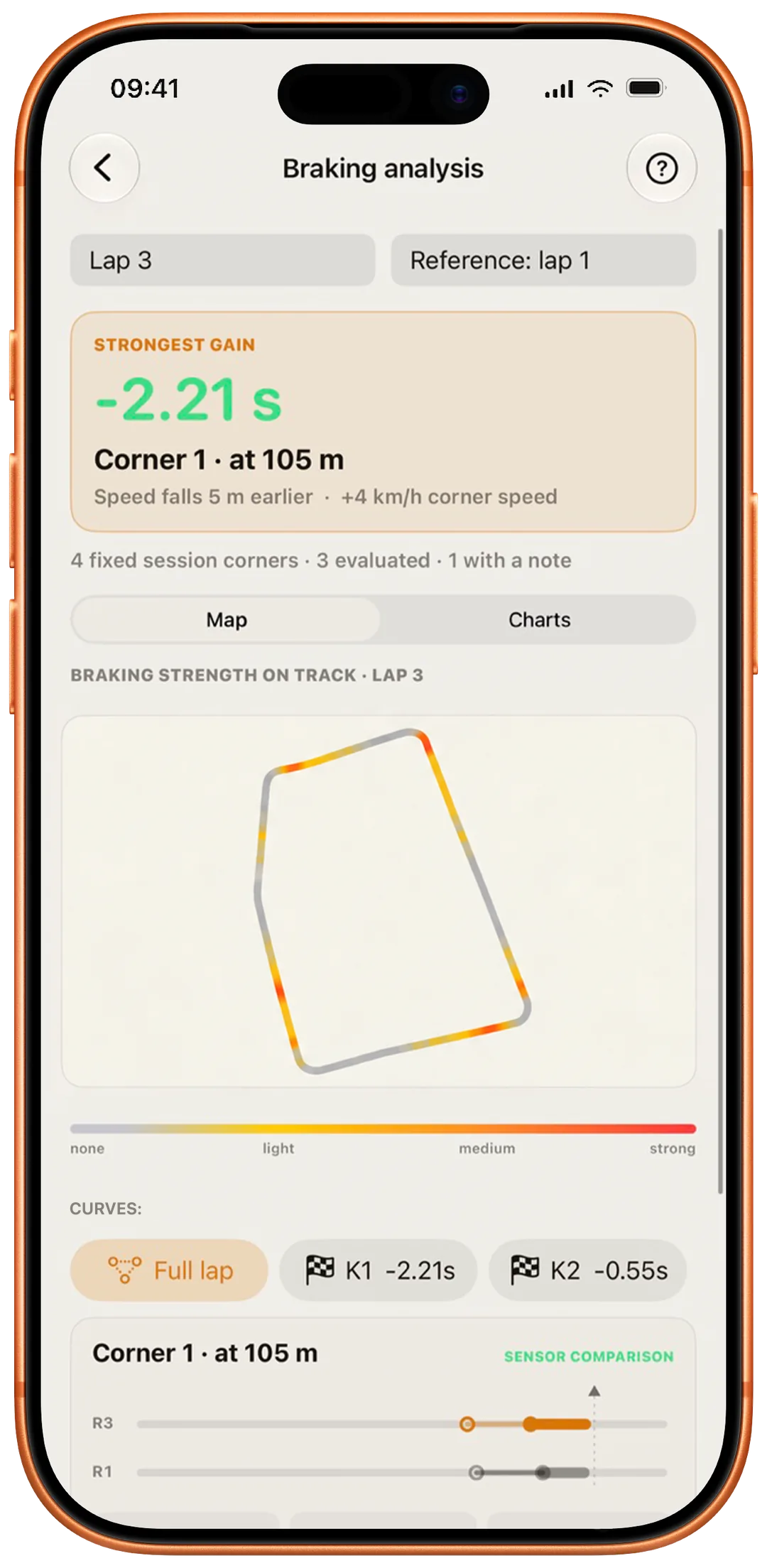
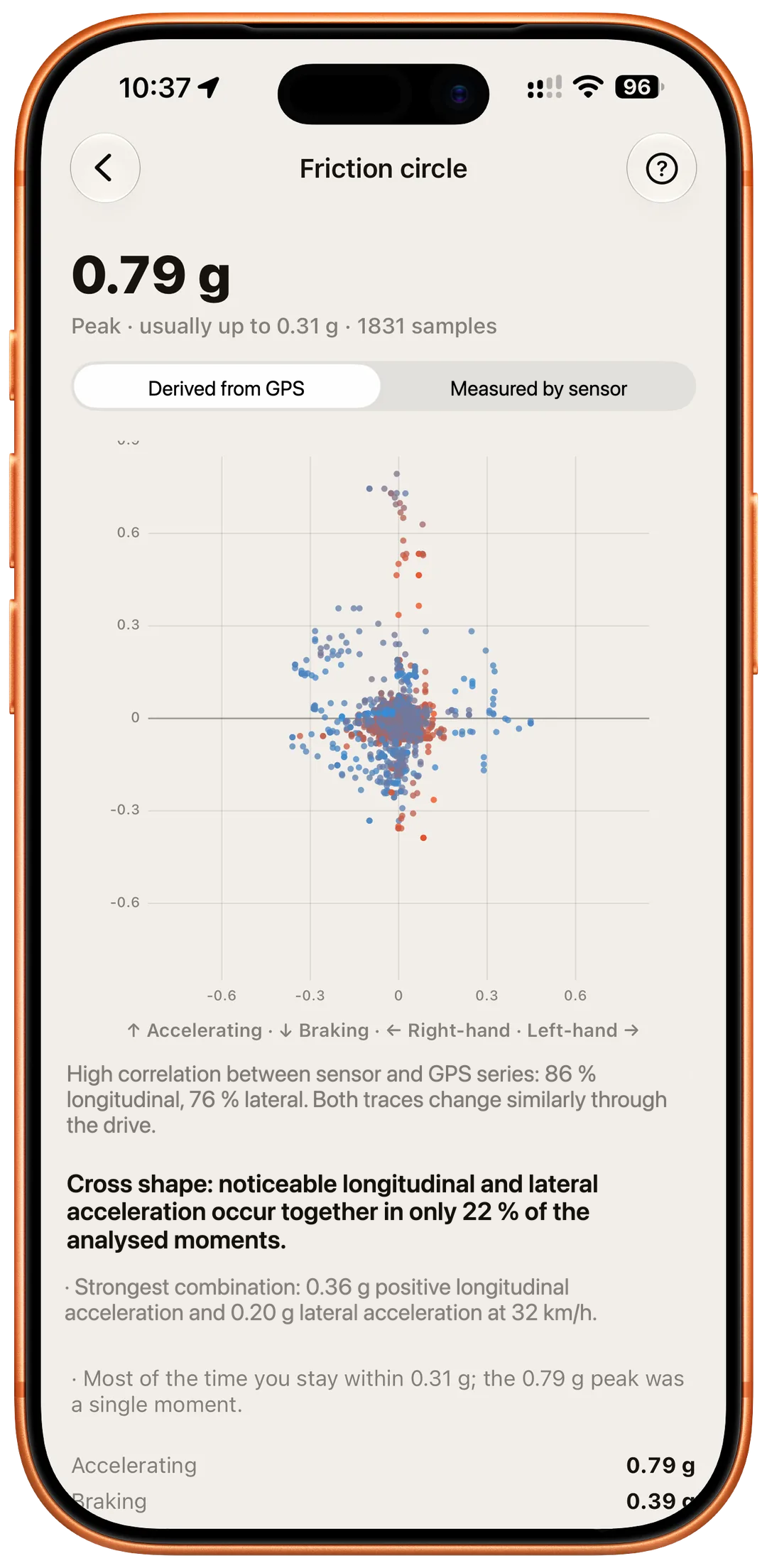
  • Braking analysis, g-forces & friction circle
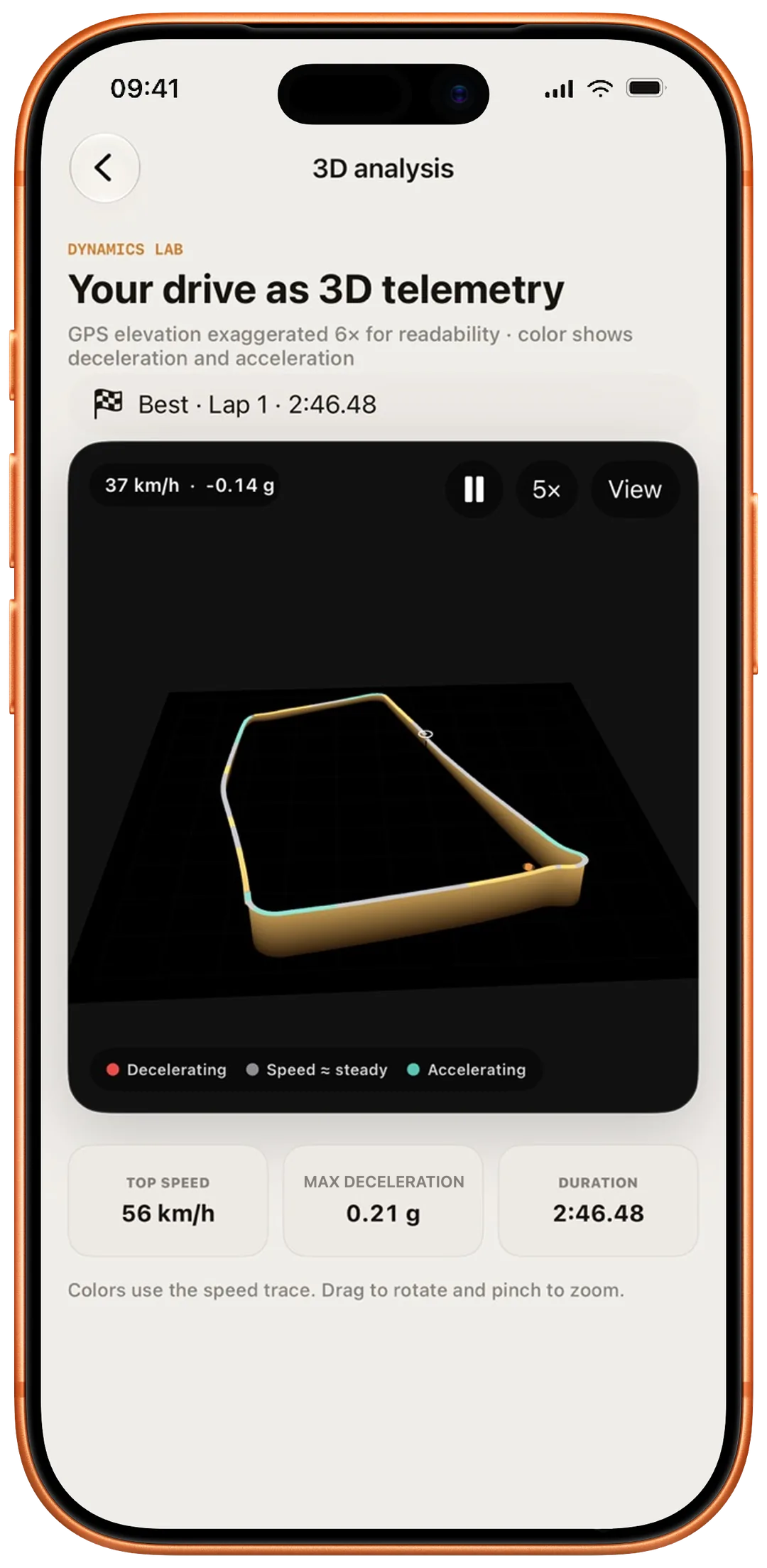
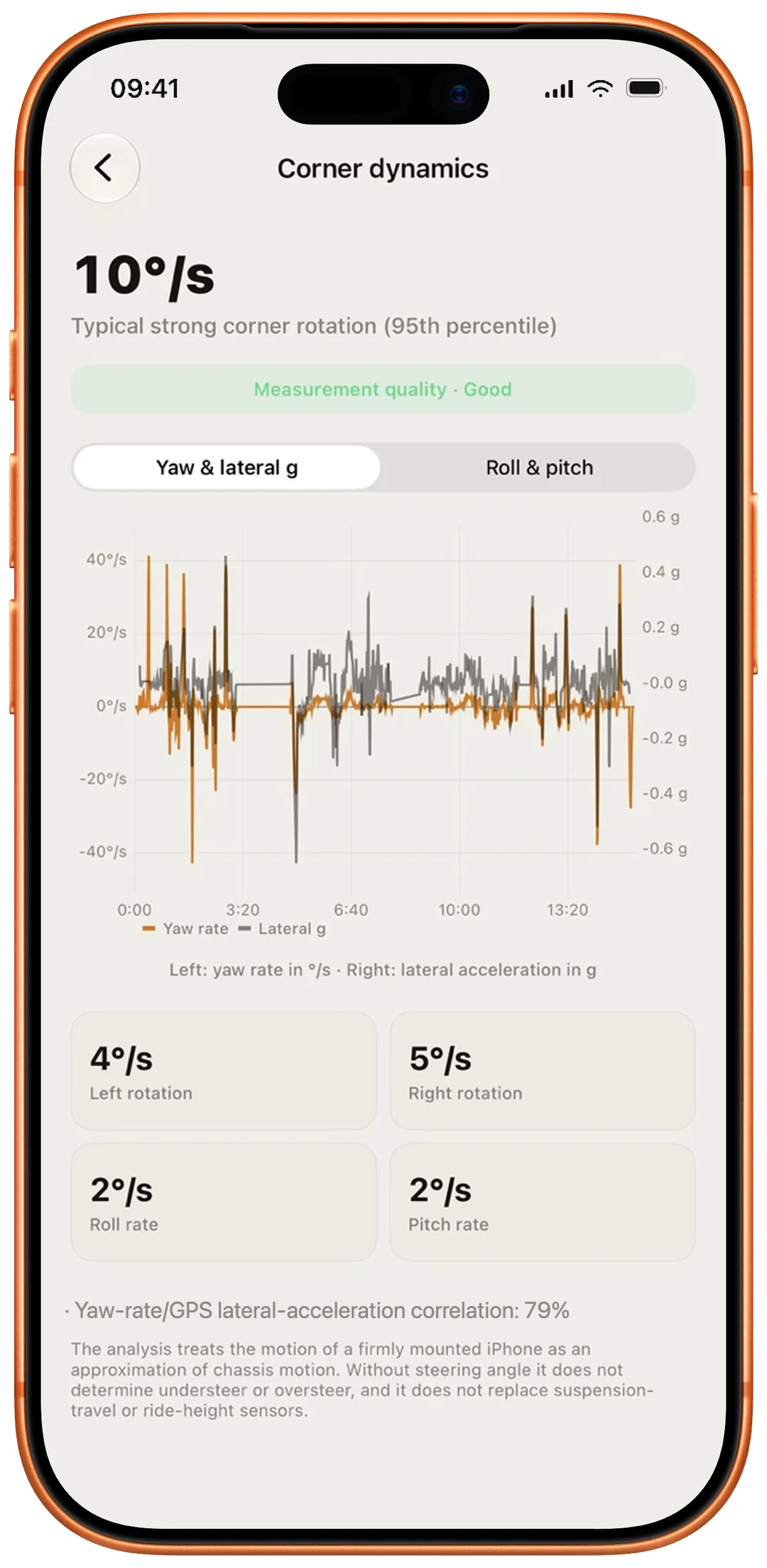
  • 3D, corner dynamics & vibration analysis
  • GPX & CSV export, backup creation
  • External GPS receivers up to 25 Hz

Find the current Full Version price on the App Store.