
GPS speedometer & ride recording
Speed, distance, duration, altitude, stops, average and top speed. Recording continues with the screen locked.
Free · iPhone GPS is enoughFeatures
Track4Facts deliberately separates live measurement from analysis. On the road you only see what matters. Once saved, every detail is there.
01 · Ride & acceleration
One recording delivers ride data and measures the configured targets in parallel.
Speed, distance, duration, altitude, stops, average and top speed. Recording continues with the screen locked.
Free · iPhone GPS is enough0–60 mph stays free for good. Custom ranges such as 30–60 or 50–75 mph are unlocked with the Full Version. Up to three values appear live on the main screen.
Free: 0–60 mphCustom ranges: Full VersionCalculation & limits →Several split and target distances run at the same time. For each distance the best time, terminal speed, timestamp and GPS quality are kept. Optionally, timing starts only after an adjustable rollout.
Full VersionCalculation & limits →Metric or imperial – either following the iPhone setting or fixed by you. Storage is always metric, so switching never changes a measured value.
New top speeds, sprint bests and lap times can be announced out loud – in the background too. Music and podcasts are only ducked.


02 · Track day
For the circuit – from setting the line to comparing two laps.
Draw the circuit on the map or record it during a measuring lap – a three-step wizard takes you from the shape via start/finish to the sectors. Saved courses can be renamed, deleted and edited again later.
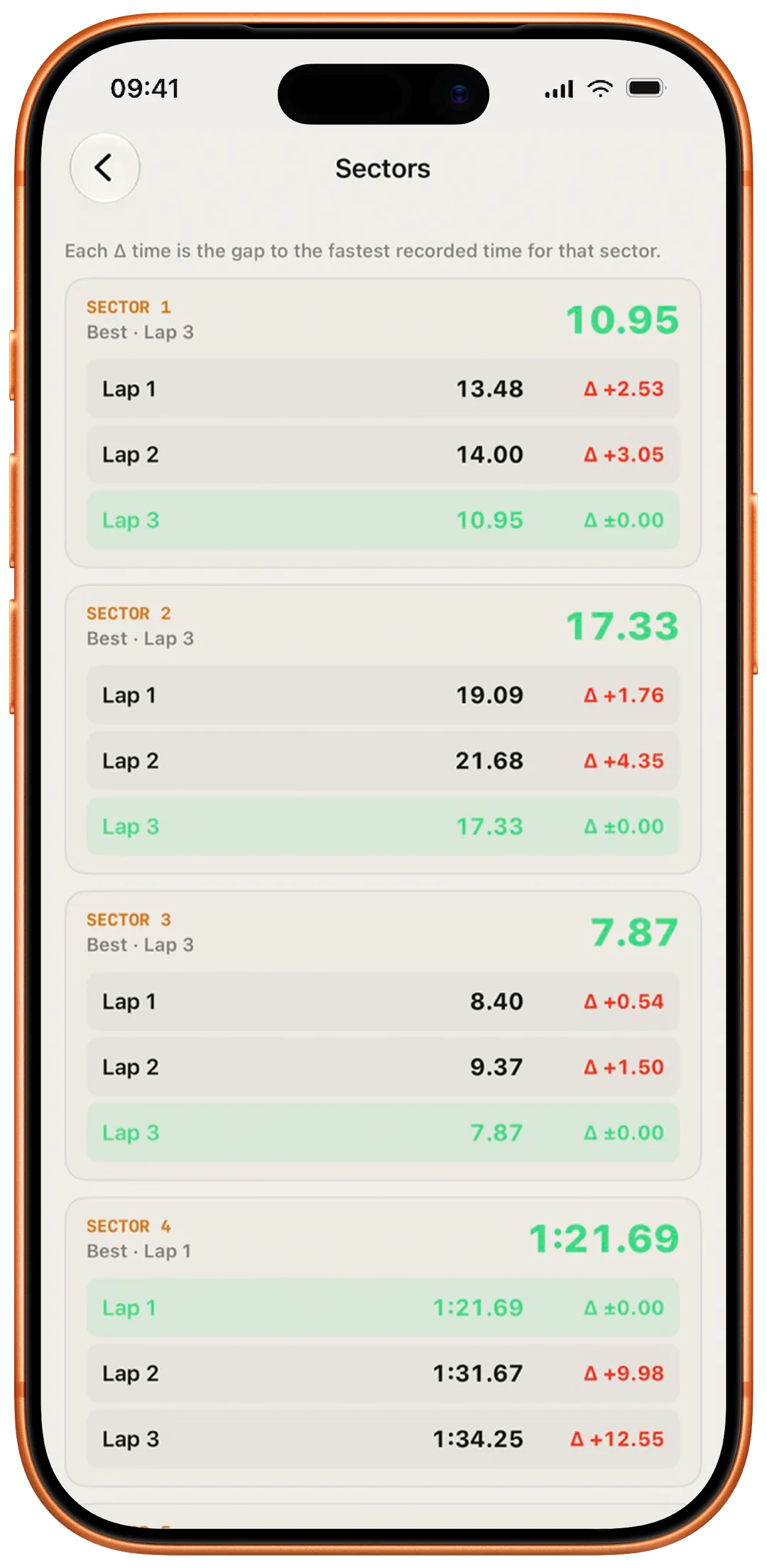
Full VersionThe current lap is compared with your best at the same point on the course. Green means faster, red means slower.
Full VersionThe theoretical time combines the fastest sectors of the session. Consistency shows the spread of your complete lap times.
Full VersionTwo laps are compared over distance. Track4Facts names the costly sections as well as differences in where slowing begins and in corner speed.
Full VersionCalculation & limits →
03 · Analyse
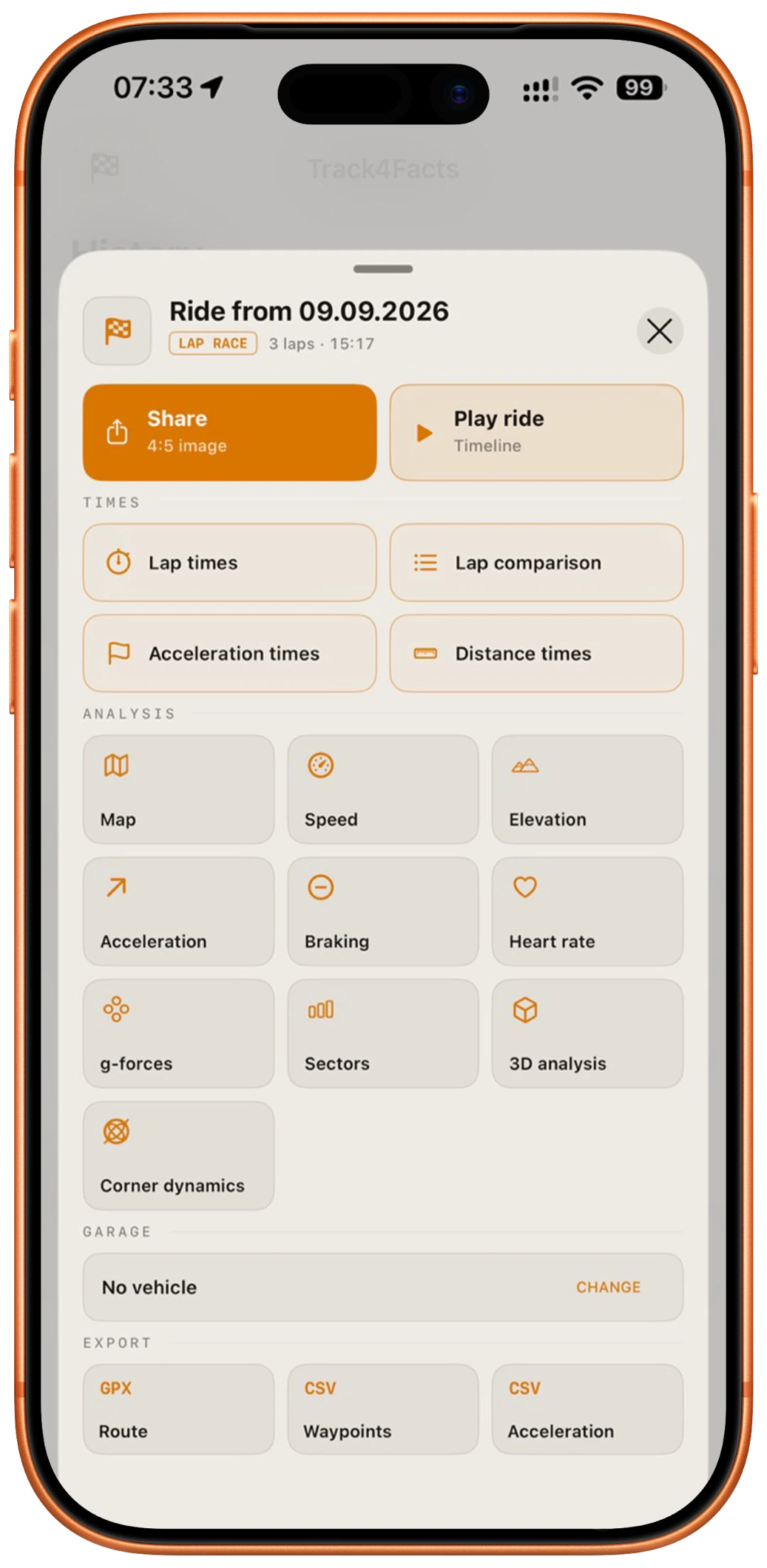
The history opens several levels of detail, from a quick overview down to measurement points and formulas.
History, map, naming, Race Summary and available sprint or lap times are directly accessible. Distance times and advanced analyses require the Full Version.
Core features freePlay back position, speed, altitude, g-forces and sprint information along the recorded route.
Full VersionExamine the recorded ride and motion data in detailed charts.
Full VersionExamine longitudinal and lateral forces from GPS and iPhone motion sensors, separately or combined.
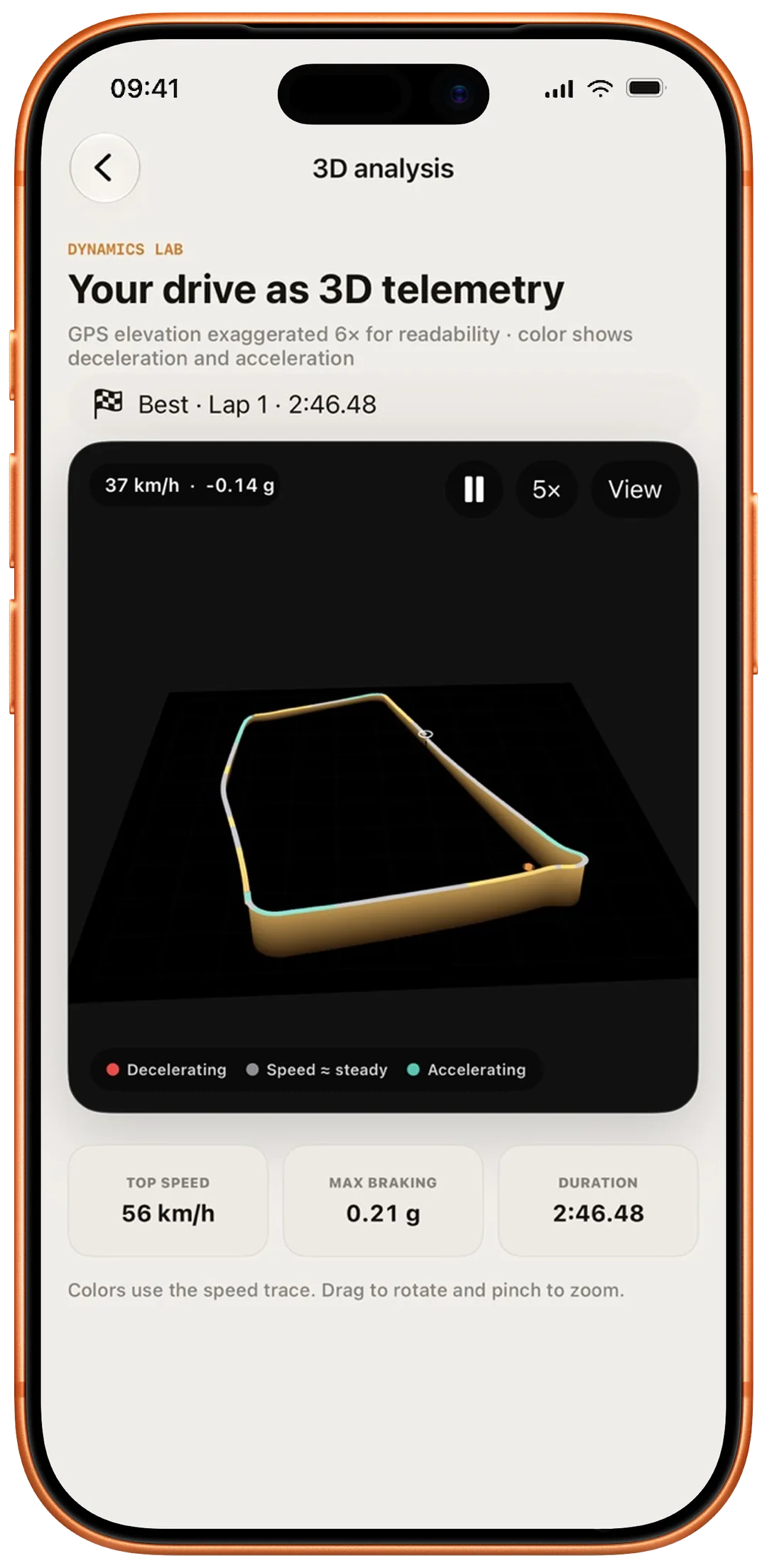
Full VersionCalculation & limits →Explore the real course as an interactive 3D model. The recorded elevation profile shapes the view; colours show deceleration, near-steady speed and acceleration.
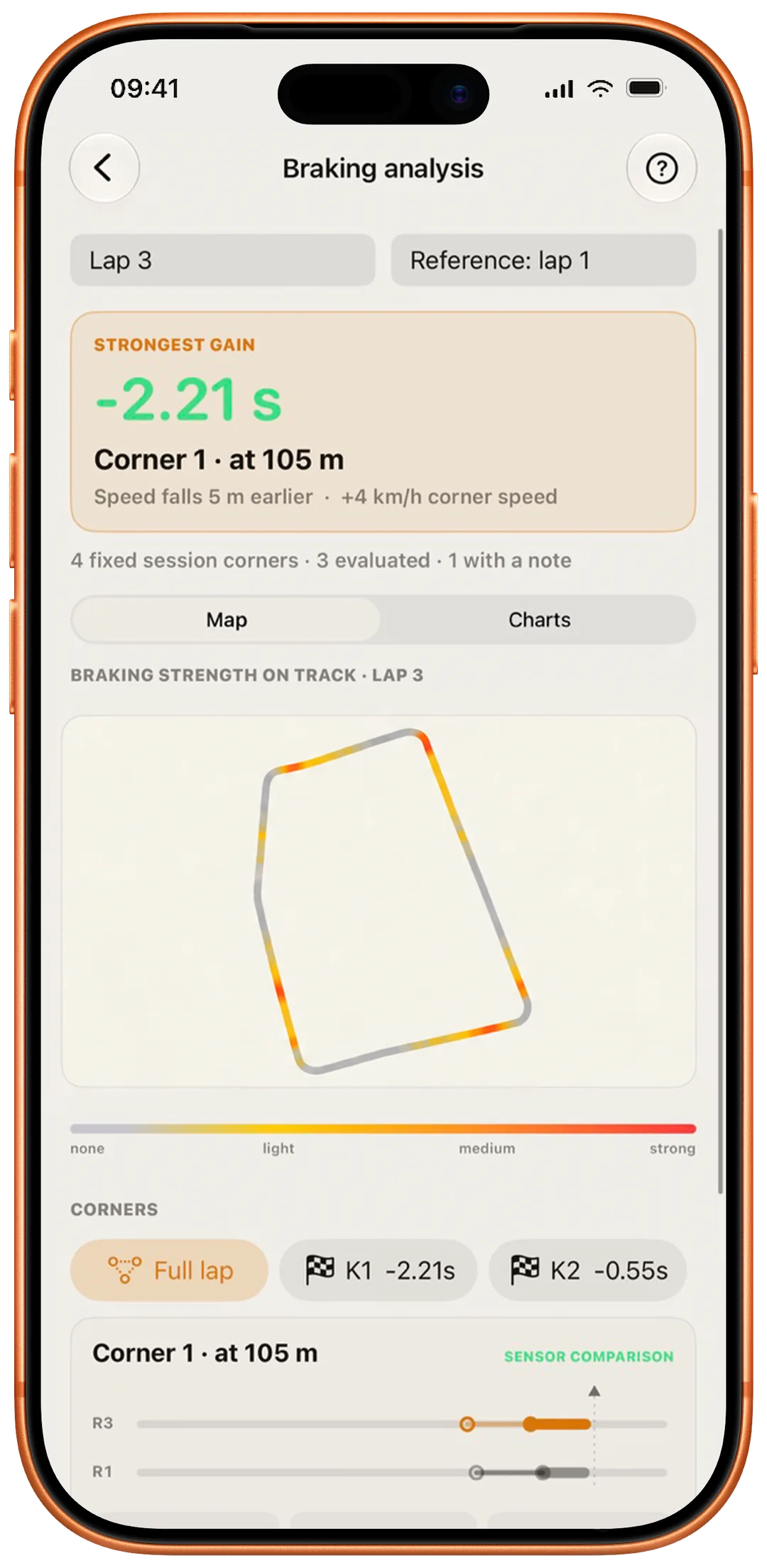
Full VersionCalculation & limits →Examine braking phases, deceleration curves, onset, strength, corner speed and time impact – for one drive or in a lap comparison.
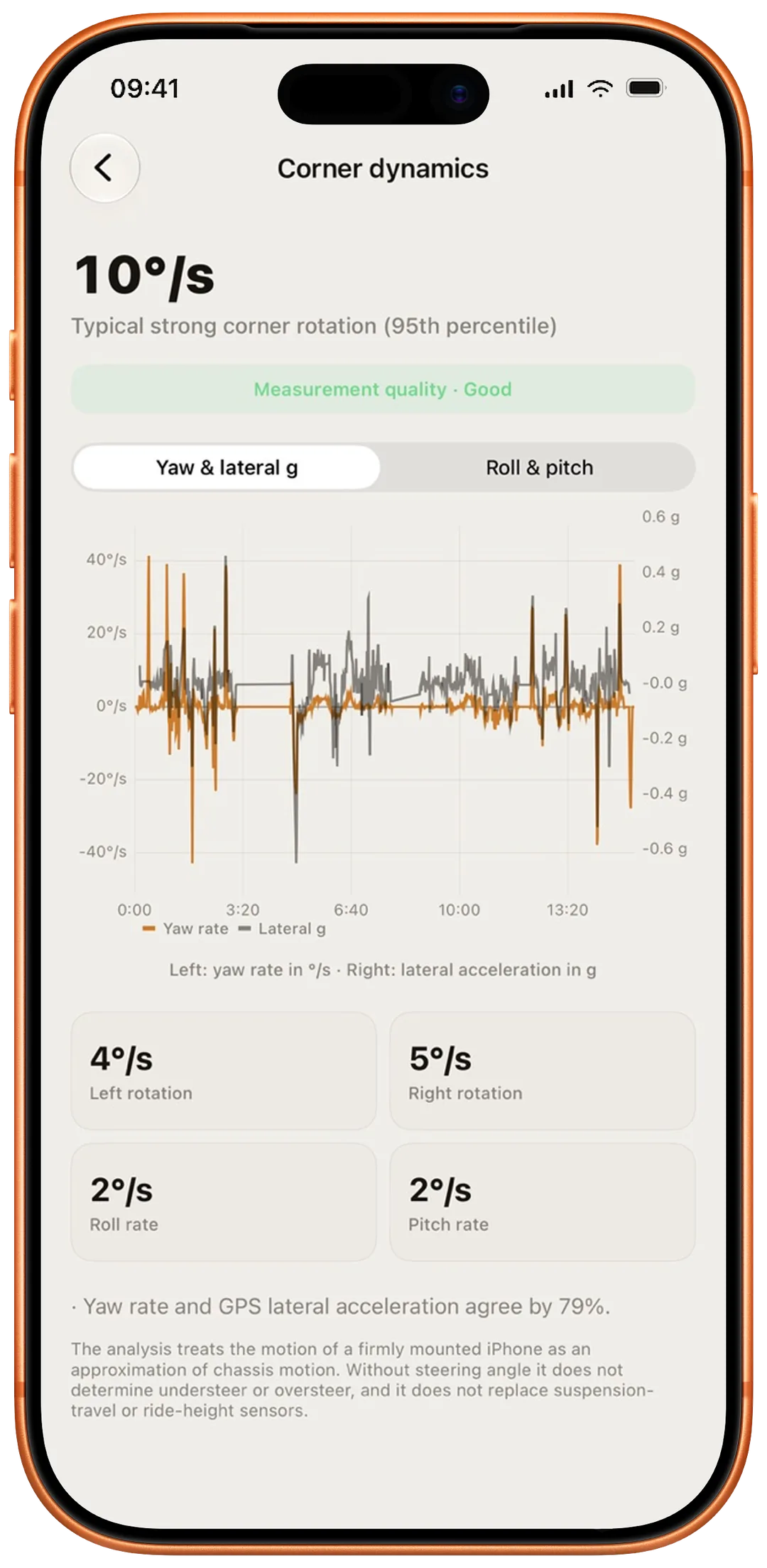
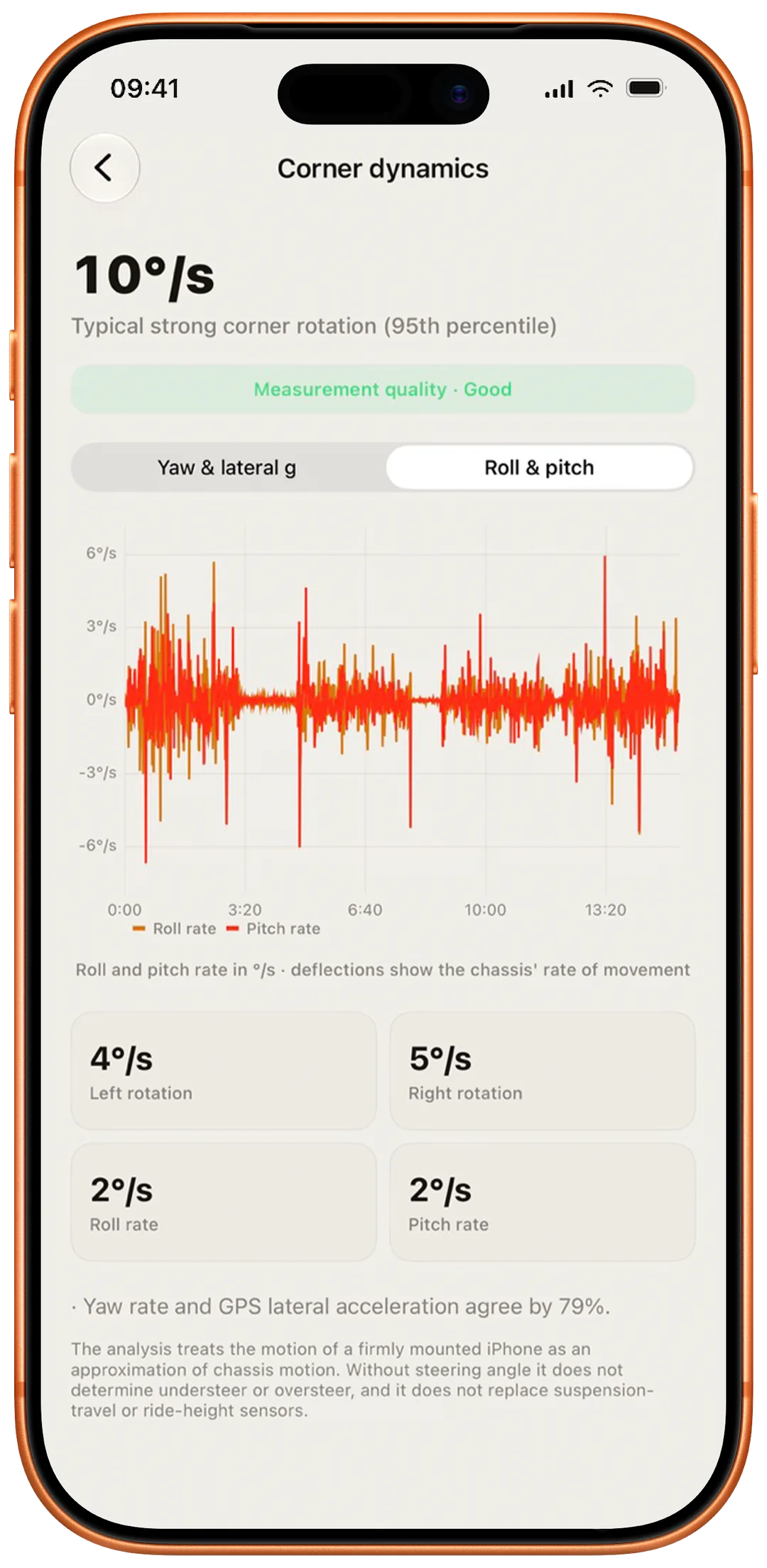
Full VersionCalculation & limits →Suitable sensor data reveals yaw and lateral g as well as roll and pitch. The analysis clearly states when there is not enough reliable data.
Full VersionCalculation & limits →One vehicle profile, ride assignment and the shareable 4:5 Race Summary are free. The Full Version unlocks additional vehicle profiles.
Free: 1 vehicle & Race SummaryMore vehicles: Full Version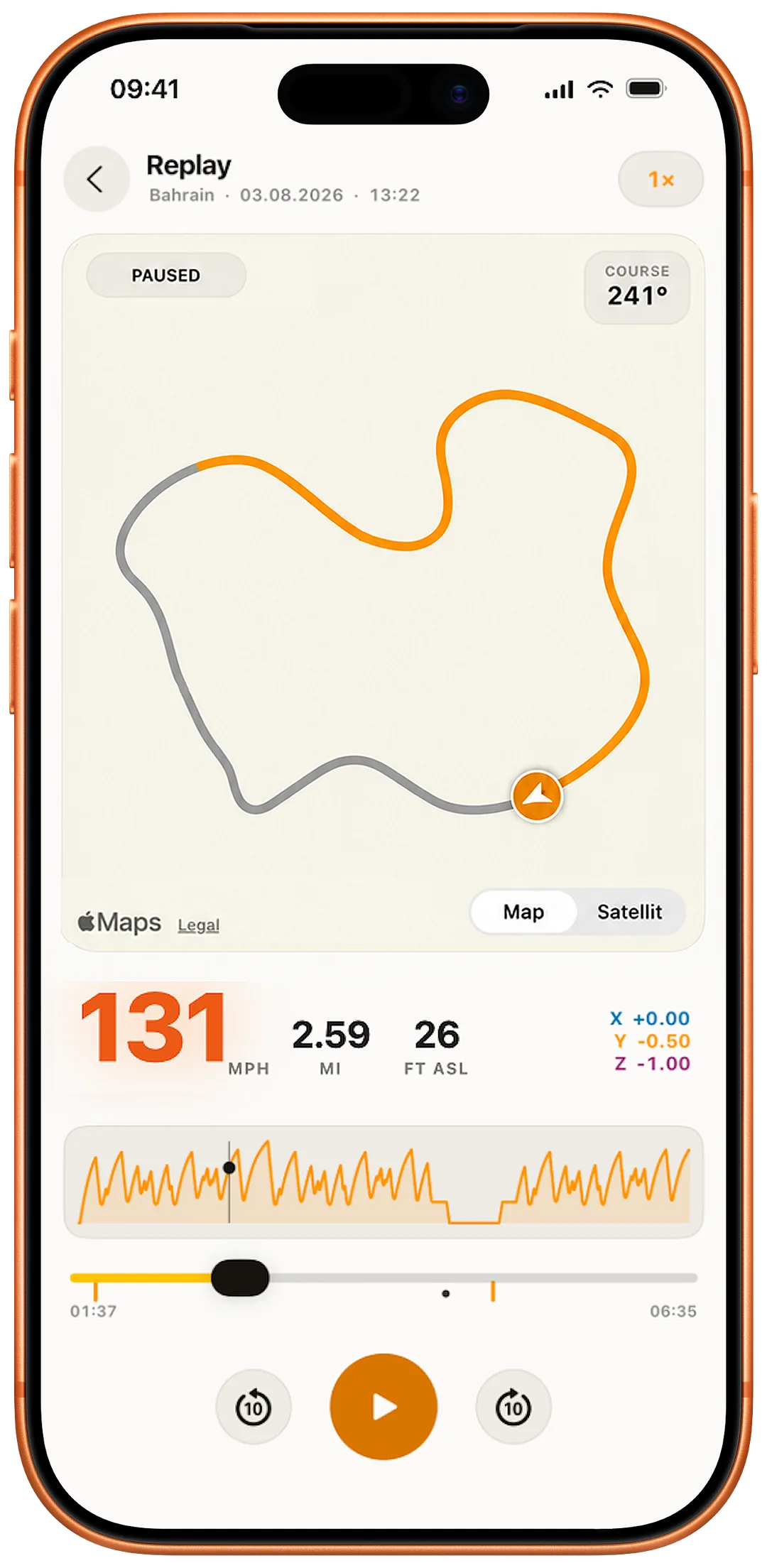
04 · Watch & display
The iPhone stays the source. Watch and Lock Screen keep the controls clear.
Start and stop normal ride recordings, see live values and confirm saving. Lap mode is still set up and started on the iPhone.
FreeOptionally the Watch starts a Health workout, keeps the view awake and aligns heart-rate values in time with the drive and its laps.
FreeDuration, current speed, distance and top speed on the Lock Screen and in the Dynamic Island.
Free


05 · Data & hardware
You decide on the source, the level of detail and who gets the data.
GPX/CSV export and creating comprehensive .track4facts backups require the Full Version. Existing Track4Facts backups can always be imported for free. Nothing is uploaded automatically.
Import freeExport & creation: Full VersionHeart rate is excluded from exports by default. Only the backup and the waypoint CSV can contain it after explicit consent; GPX and motion CSV never do.
Start without extra hardware, or use XGPS150, XGPS160 and Dragy Lite in the Full Version. Dragy Lite supports 10, 20 or 25 Hz.
External receivers: Full VersionCheck source, fix age, position, accuracies, speed, course, fix quality and – where reported – battery, satellites and pDOP.
You decide how strict the measurement is: limits for position, altitude, speed and g-difference are adjustable. One tap restores the recommended values – 15 m, 30 m, 15 km/h and 0.2 g.
The measurement page starts with a short explanation and opens formulas, limits and failure cases on request.
